
Overview

AI That Knows Your Platform and Your Data

AskQ is a conversational assistant embedded directly in Q360. It’s connected to the full Solutions360 knowledge base — help documentation, training videos, and blog content — so users can ask how to complete any task and get step-by-step guidance on the spot. At the same time, AskQ reads the data on whatever screen you’re working in, so you can ask questions about what you’re looking at, identify gaps, and take action — all without switching tools or opening a separate tab.

AI That Knows Your Platform and Your Data
Feature

In-Context Data Queries

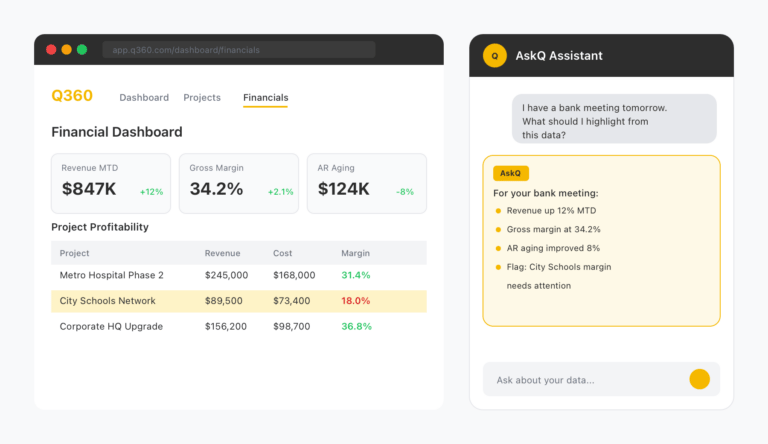
When you open AskQ, it reads the fields and data currently on your screen. Ask it to summarize a record, identify what information is missing, or explain the current state of a job, ticket, or opportunity. You get answers grounded in your actual data — not generic responses.
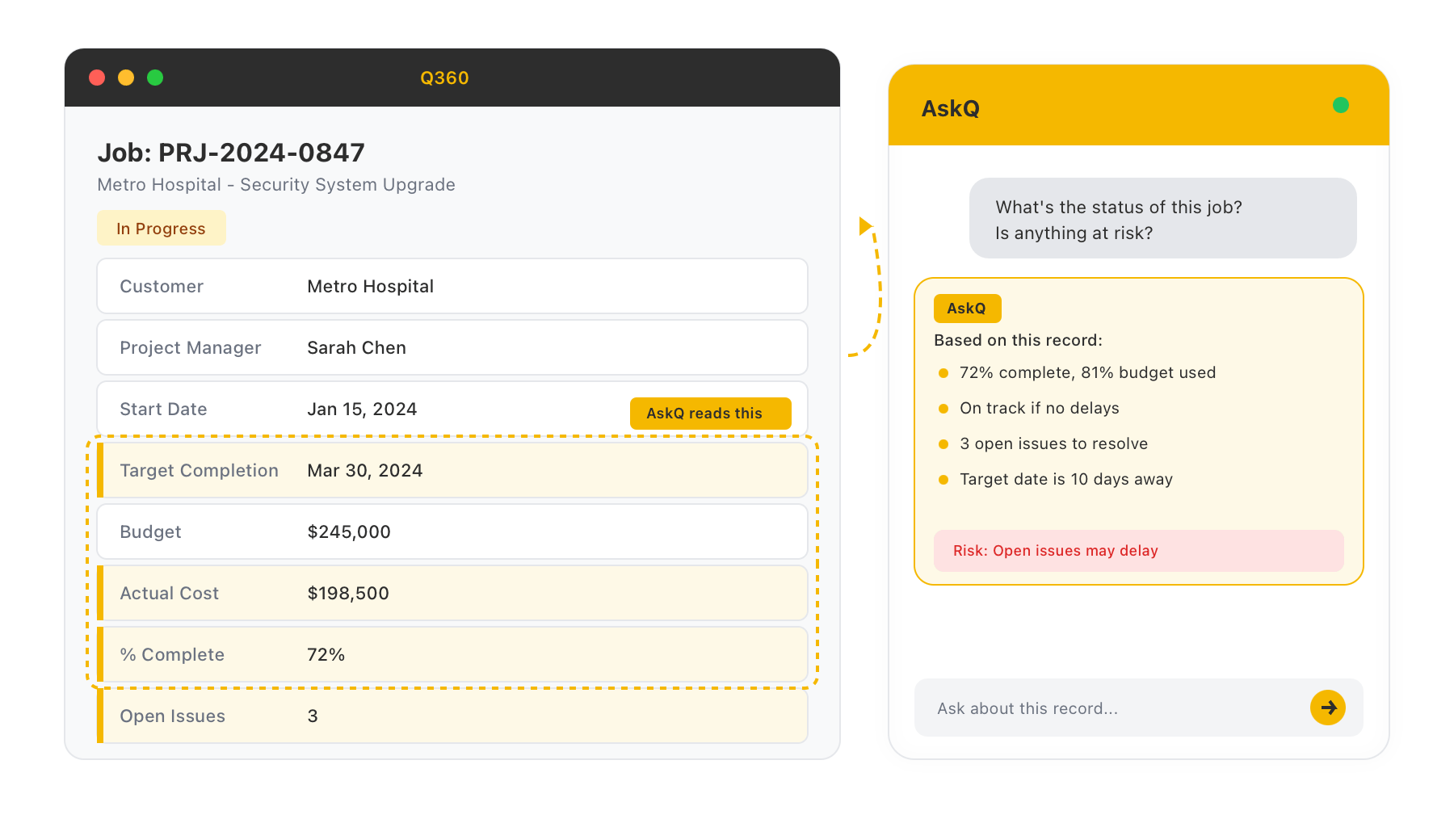
In-Context Data Queries
Feature

Agent-Powered Actions

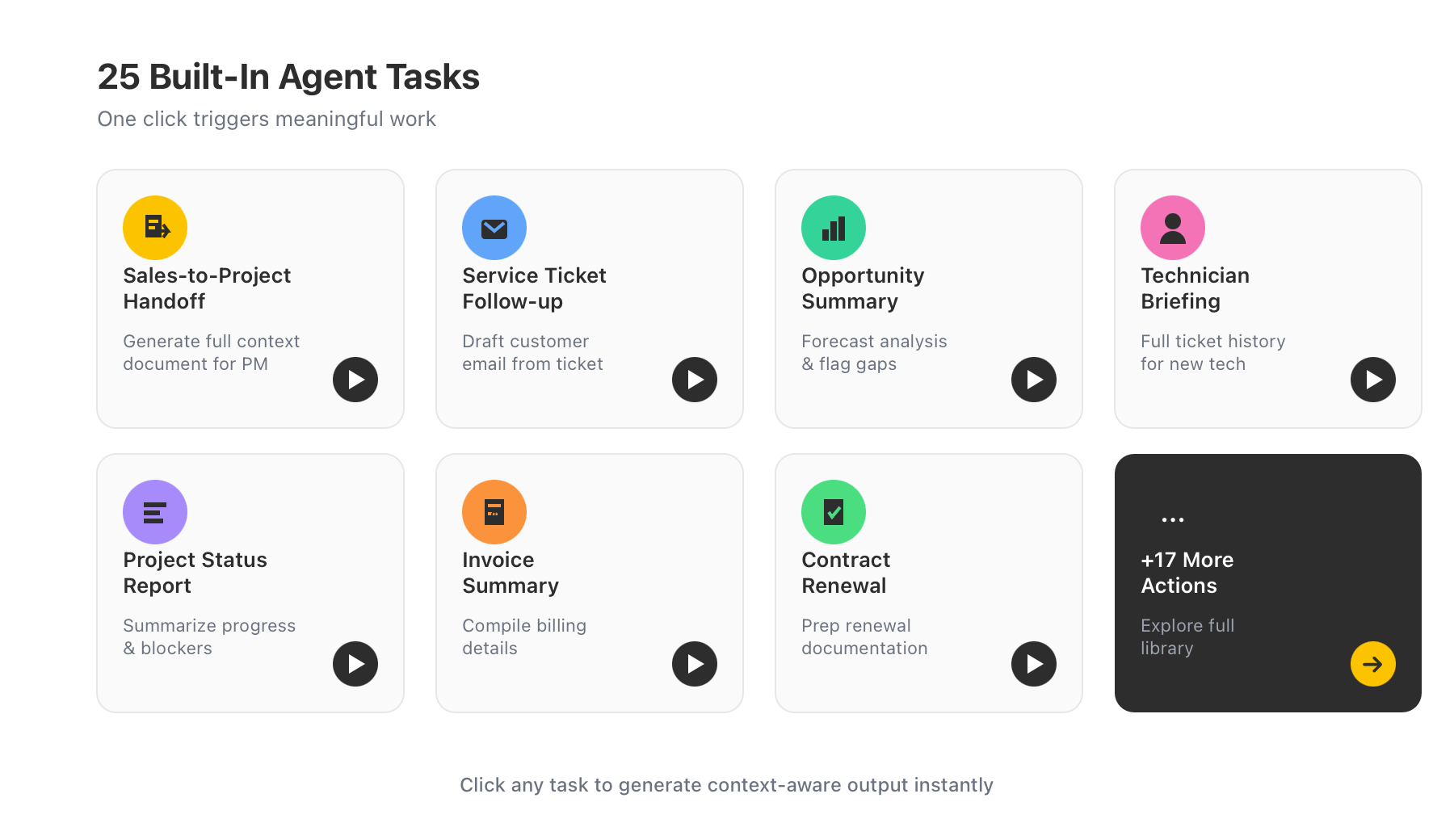
AskQ includes 25 built-in agent tasks that trigger meaningful work with a single click. Generate a sales-to-project handoff document so the project team has full context from the sales opportunity. Draft a follow-up email for a service ticket. Summarize an opportunity’s forecast and flag incomplete fields. Brief a new technician on the full history of a service ticket before they pick it up.

Agent-Powered Actions
Feature

Conversational Help Desk

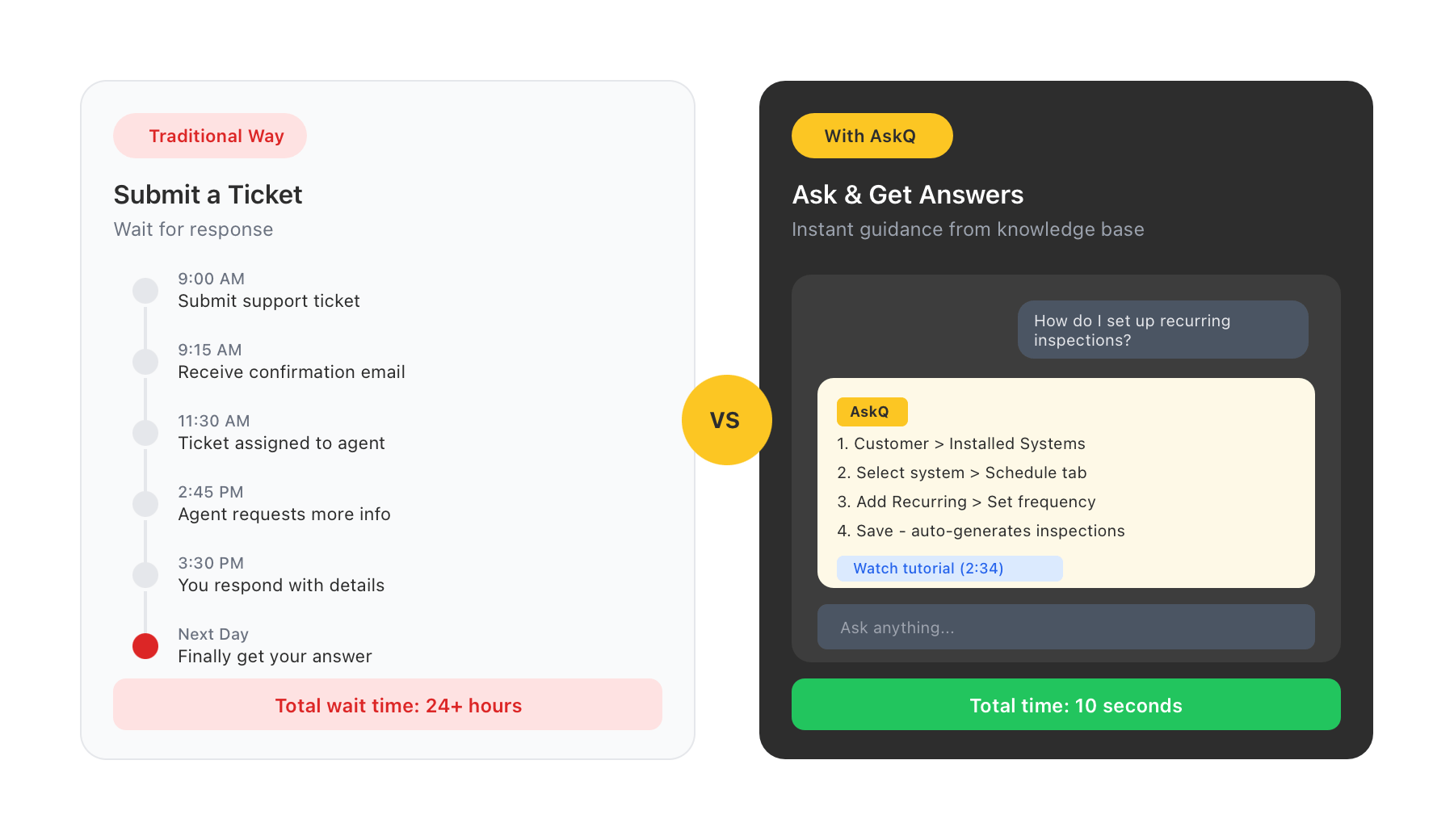
AskQ is connected to the complete Solutions360 knowledge base — including help articles, training videos, and product documentation. Any user can ask how to complete a task, configure a workflow, or navigate a module and receive clear, step-by-step guidance without leaving their screen or submitting a support ticket.

Conversational Help Desk
Feature

Available Across Every Module

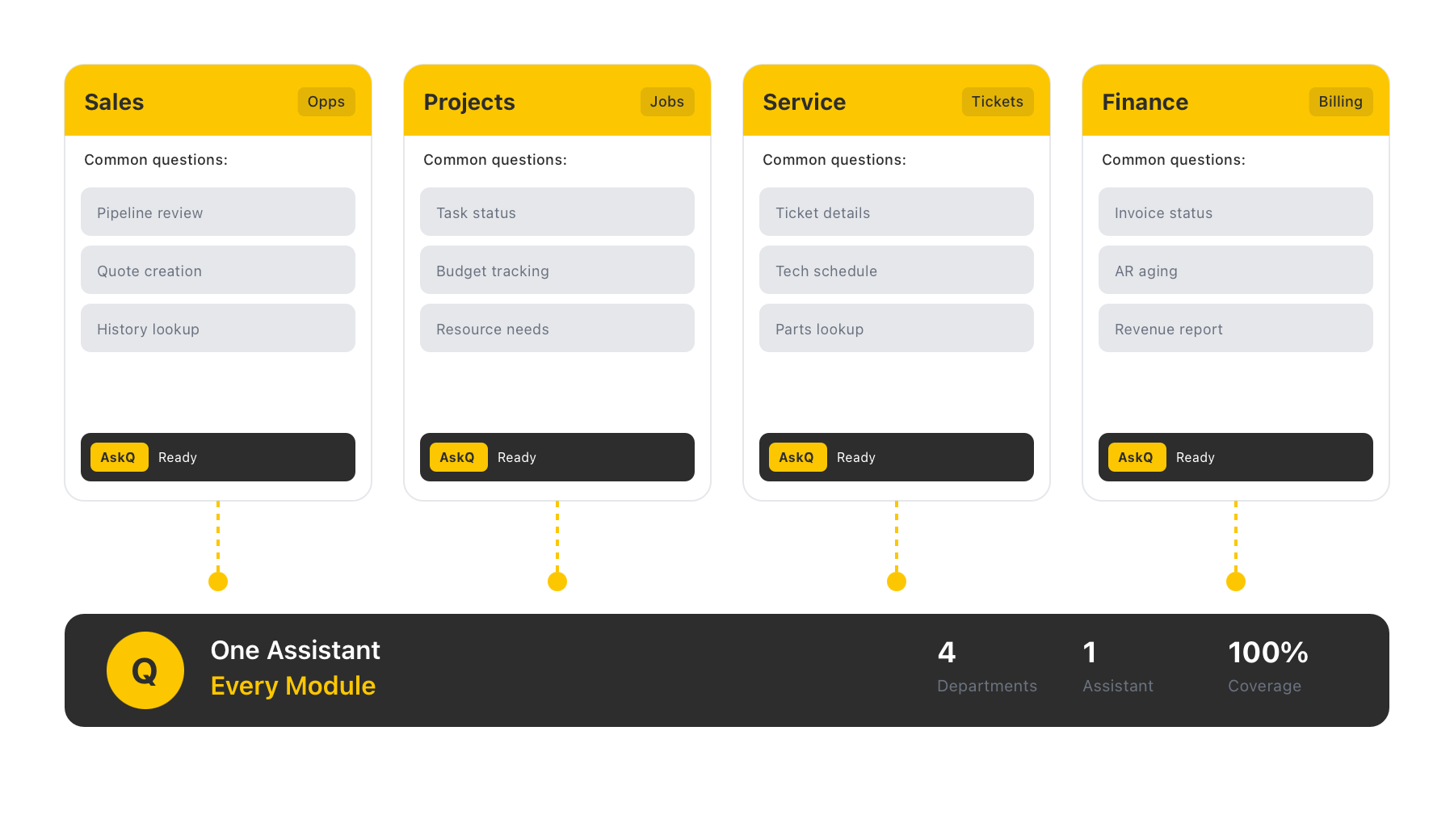
AskQ is available to every user throughout Q360 — not just one department or role. Sales teams, project managers, service dispatchers, and finance staff all access the same assistant, with responses informed by the specific module and data they’re working in.

Available Across Every Module
  1. Feature

    In-Context Data Queries

    When you open AskQ, it reads the fields and data currently on your screen. Ask it to summarize a record, identify what information is missing, or explain the current state of a job, ticket, or opportunity. You get answers grounded in your actual data — not generic responses.
    In-Context Data Queries
  2. Feature

    Agent-Powered Actions

    AskQ includes 25 built-in agent tasks that trigger meaningful work with a single click. Generate a sales-to-project handoff document so the project team has full context from the sales opportunity. Draft a follow-up email for a service ticket. Summarize an opportunity’s forecast and flag incomplete fields. Brief a new technician on the full history of a service ticket before they pick it up.
    Agent-Powered Actions
  3. Feature

    Conversational Help Desk

    AskQ is connected to the complete Solutions360 knowledge base — including help articles, training videos, and product documentation. Any user can ask how to complete a task, configure a workflow, or navigate a module and receive clear, step-by-step guidance without leaving their screen or submitting a support ticket.
    Conversational Help Desk
  4. Feature

    Available Across Every Module

    AskQ is available to every user throughout Q360 — not just one department or role. Sales teams, project managers, service dispatchers, and finance staff all access the same assistant, with responses informed by the specific module and data they’re working in.
    Available Across Every Module