Overview

The Full Platform, Out in the Field

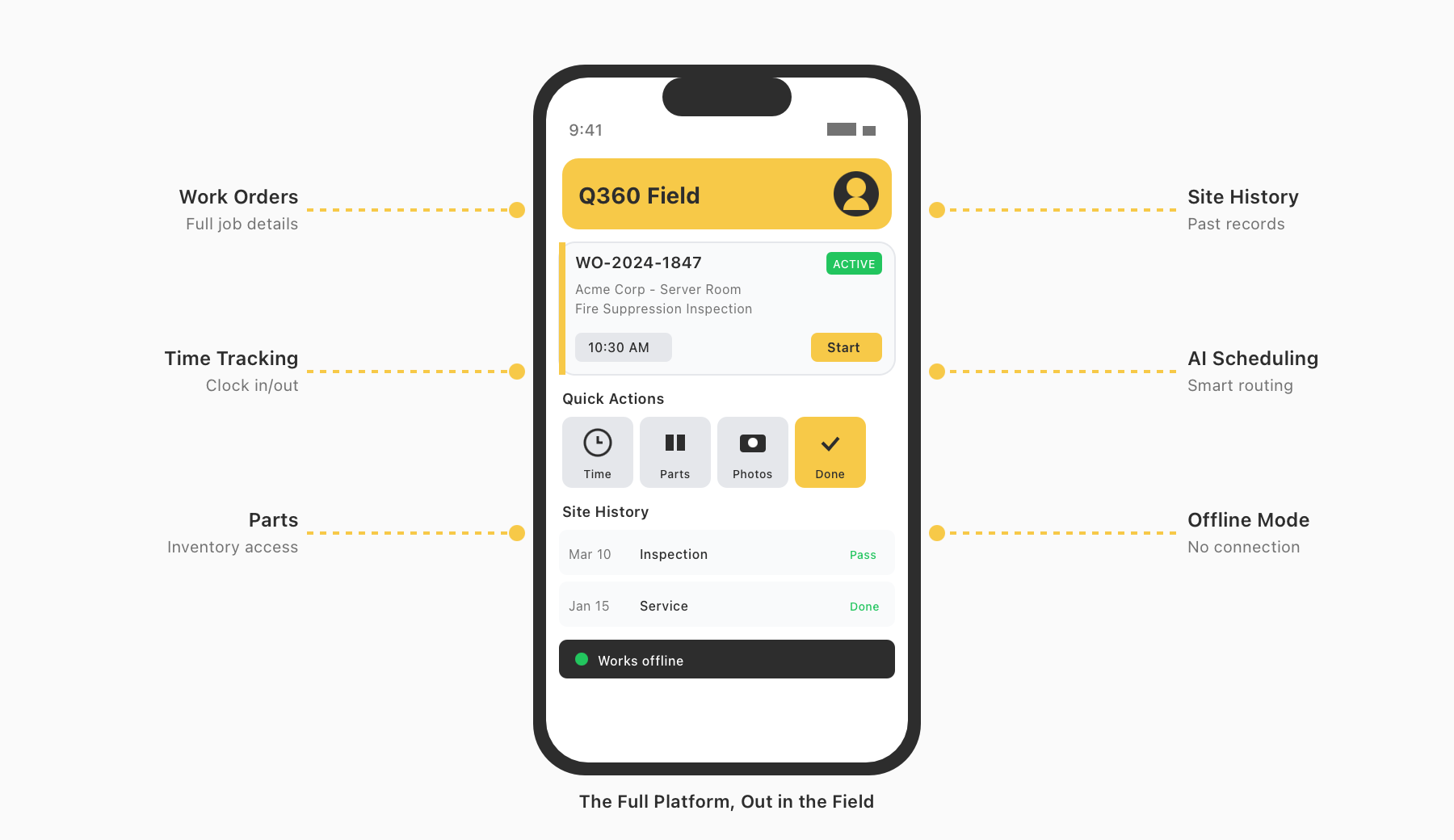
Q360’s mobile application puts the complete power of the platform in the hands of field technicians — service techs, inspectors, and field support staff. Work orders, site history, parts management, time tracking, and AI-guided scheduling all live in one app, built to work even without a connection. No other ERP with native accounting reaches this deep into field execution. With Q360, what happens on the job site flows directly back to the platform — no manual re-entry, no reconciliation, no gaps.
field service mobile
Feature

Offline-First Field Execution

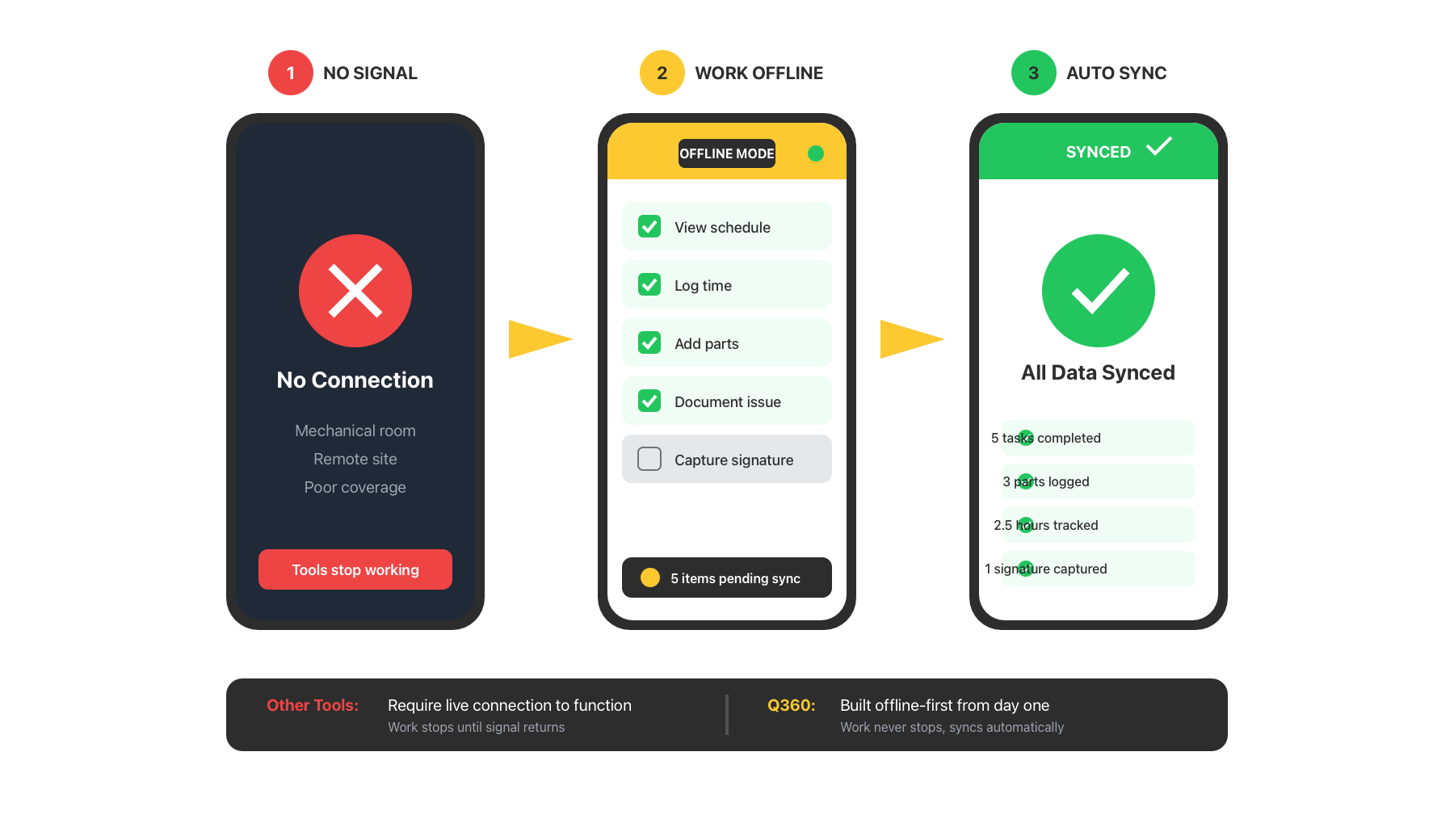
Q360’s mobile application is built offline-first. Technicians can view their schedule, work through service calls, log time, add parts, document deficiencies, and capture signatures — all without a connection. When connectivity is restored, everything syncs automatically. Many field service tools require a live connection to function. Q360 does not — and for technicians working in mechanical rooms, remote sites, or buildings with poor coverage, that difference is everything.

Offline-First Field Execution
Feature

AI-Powered Scheduling and Site Intelligence

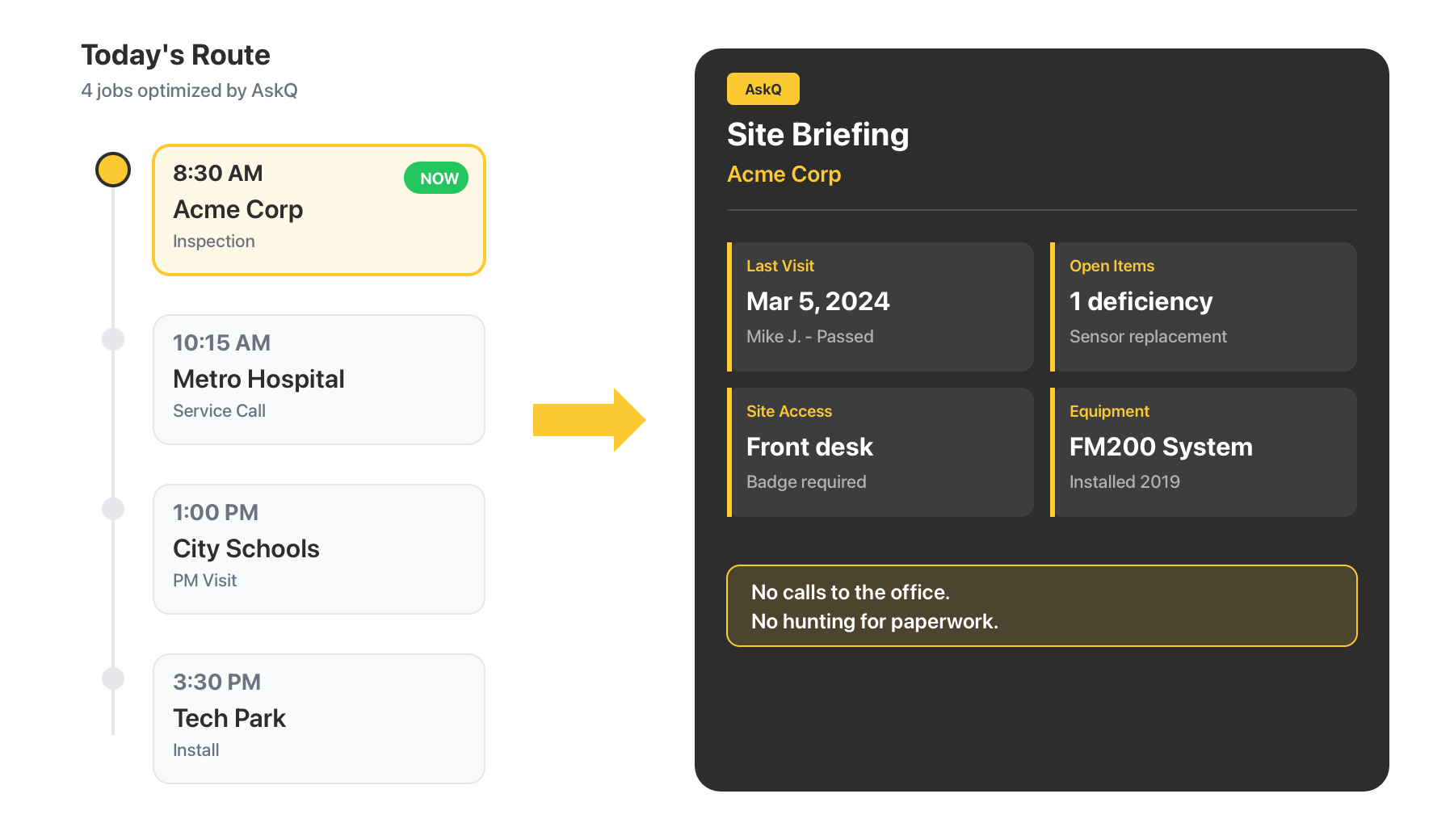
AskQ guides technicians through their day. The app surfaces the day’s jobs in sequence, highlights relevant history at each site — who visited last, what was done, what’s outstanding — and ensures technicians arrive at every job with the context they need. No calls to the office. No hunting for paperwork.

AI-Powered Scheduling and Site Intelligence
Feature

Work Order & Time Management

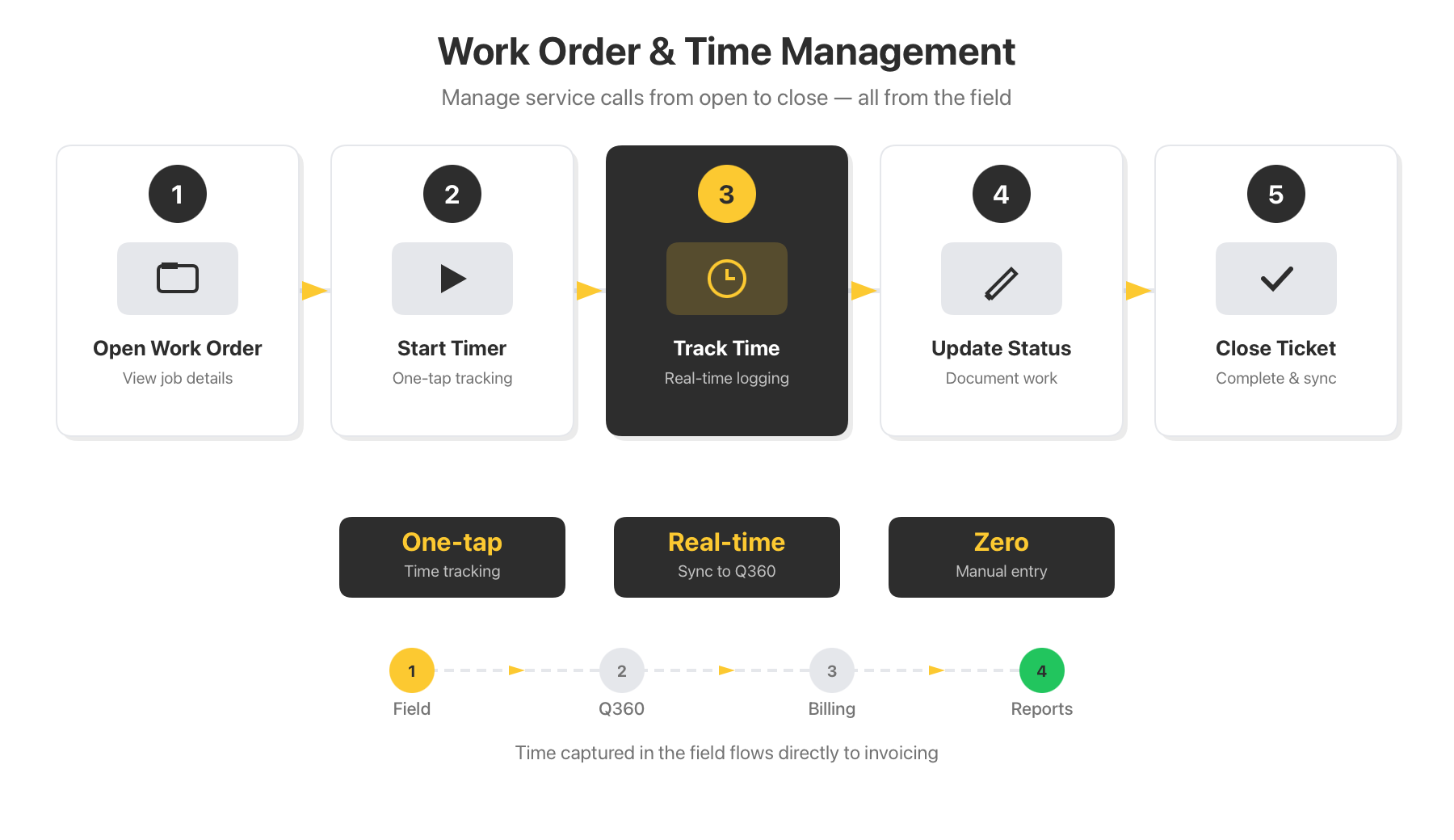
Technicians manage service calls and support tickets directly from the app. Open a work order, start a timer, and track time to the right customer or project in real time. Update job status, document work performed, and close out tickets — all from the field, all connected to the platform.

Work Order & Time Management
Feature

Parts, Deficiencies & Documentation

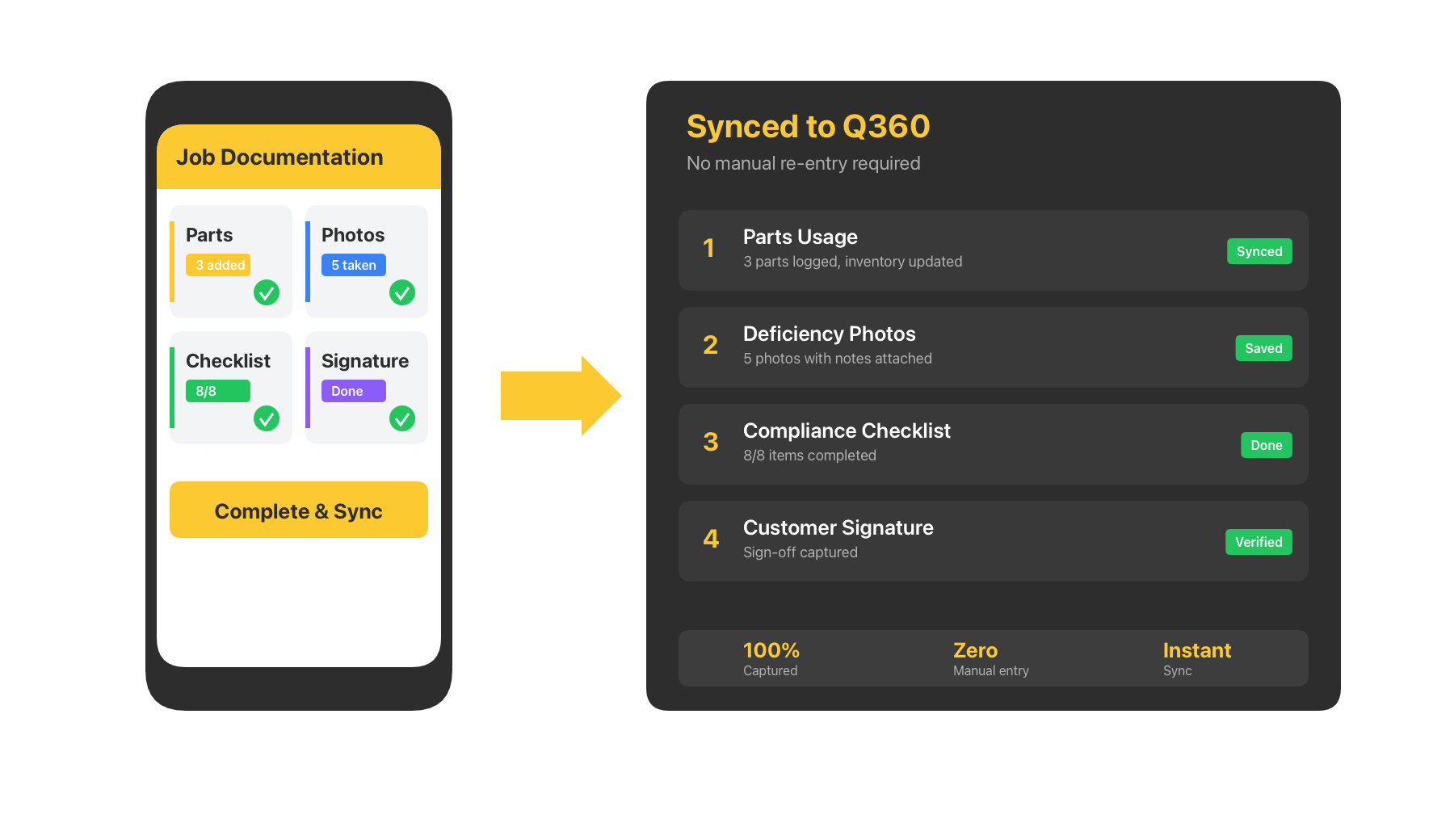
Everything that happens on a job site flows back to Q360 automatically. Parts usage captured on-site and reflected automatically across the platform — no manual reconciliation, no inventory gaps. Flag and photograph deficiencies with notes attached. Follow structured checklists, document compliance events, and collect customer signatures before leaving the site.

Parts, Deficiencies & Documentation
Feature

Complete Site Awareness

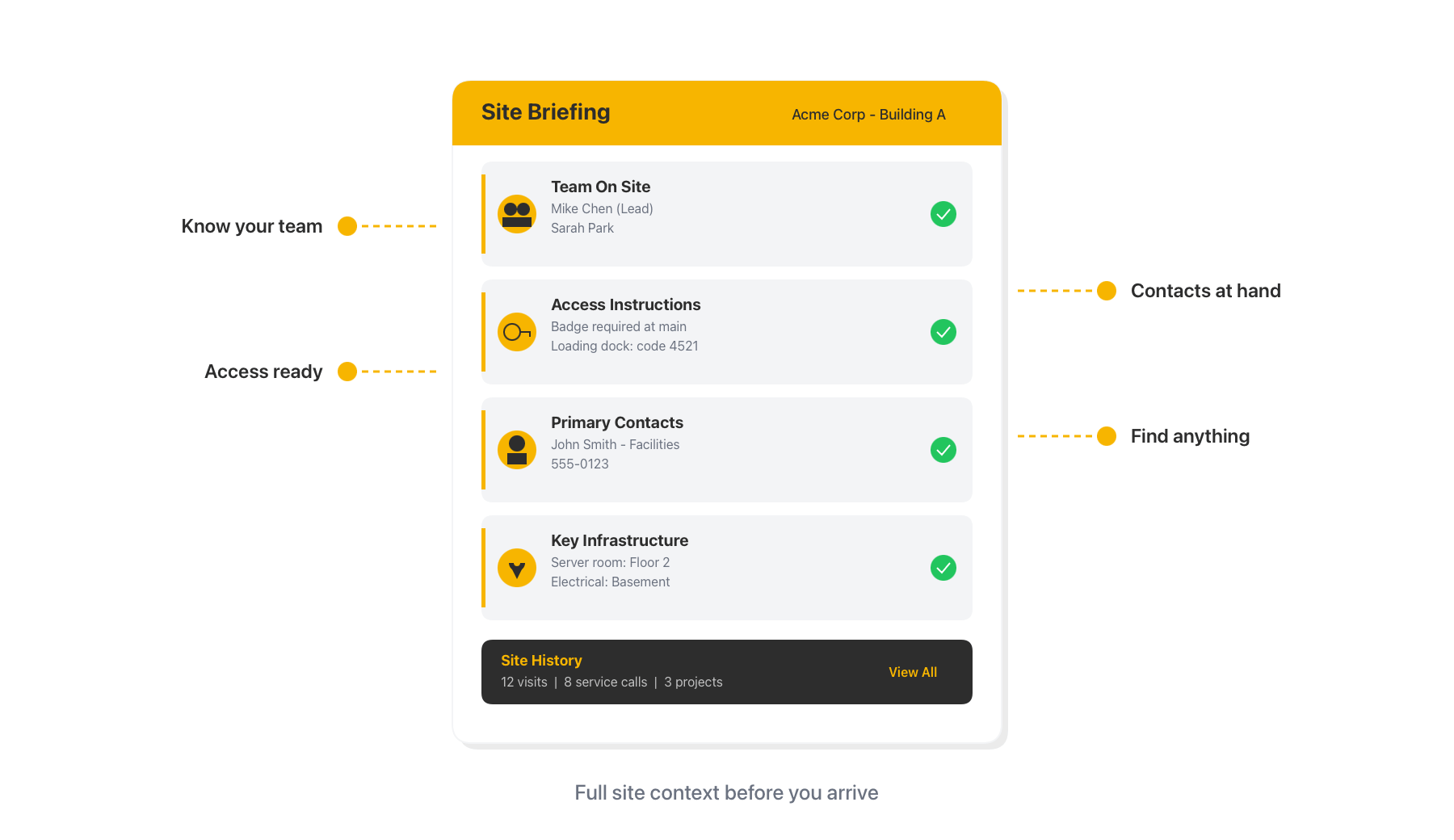
Every technician has a full picture of the site they’re walking into: who’s working alongside them, access instructions for the building, locations of key infrastructure, primary contacts, and the complete history of every visit, service call, and project at that location — all visible from the app before the work begins.

Complete Site Awareness