
Overview

AI That Knows Your Platform and Your Data

AskQ is a conversational assistant embedded directly in Q360. It’s connected to the full Solutions360 knowledge base — help documentation, training videos, and blog content — so users can ask how to complete any task and get step-by-step guidance on the spot. At the same time, AskQ reads the data on whatever screen you’re working in, so you can ask questions about what you’re looking at, identify gaps, and take action — all without switching tools or opening a separate tab.

Benefits

Work Smarter Without Leaving Your Workflow

Data Awareness

AskQ reads your current screen and can summarize records, flag missing fields, and answer questions about what you’re looking at.

One-Click Agent Actions

25 built-in actions let users generate documents, draft communications, and summarize records instantly.

Contextual Help

Get task guidance specific to the module you’re working in, powered by the full Q360 knowledge base.

Trained on Q360

Unlike generic AI tools, AskQ is trained specifically on Q360 data and integration industry workflows.

Feature

In-Context Data Queries

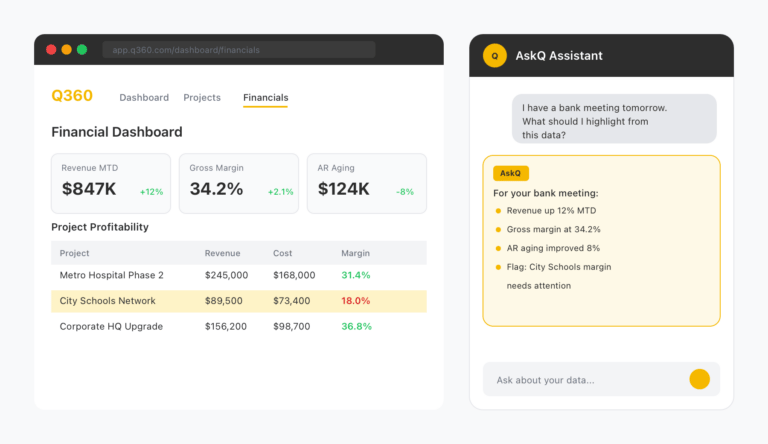
When you open AskQ, it reads the fields and data currently on your screen. Ask it to summarize a record, identify what information is missing, or explain the current state of a job, ticket, or opportunity. You get answers grounded in your actual data — not generic responses.
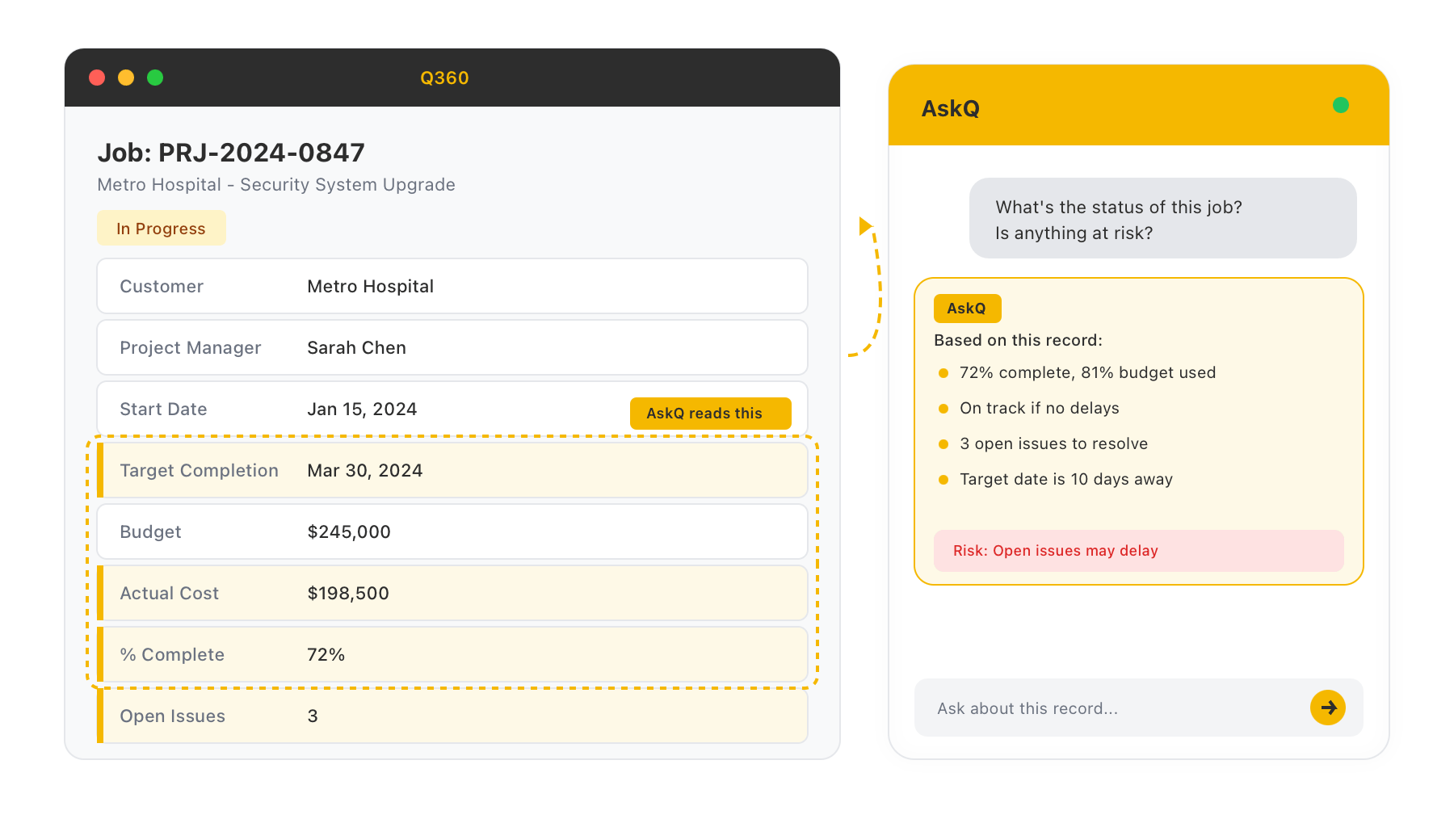
In-Context Data Queries
Feature

Agent-Powered Actions

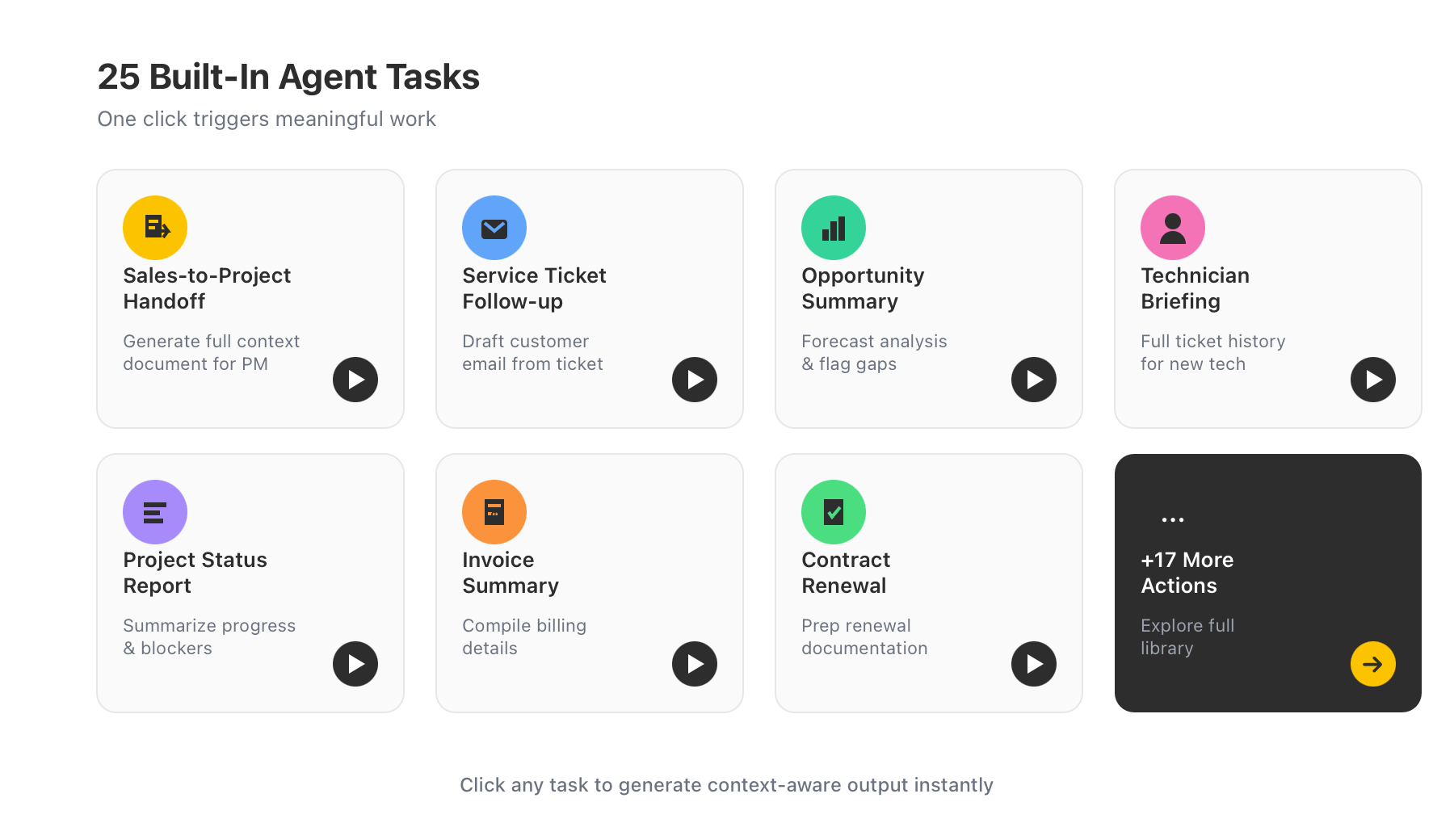
AskQ includes 25 built-in agent tasks that trigger meaningful work with a single click. Generate a sales-to-project handoff document so the project team has full context from the sales opportunity. Draft a follow-up email for a service ticket. Summarize an opportunity’s forecast and flag incomplete fields. Brief a new technician on the full history of a service ticket before they pick it up.

Agent-Powered Actions
Feature

Conversational Help Desk

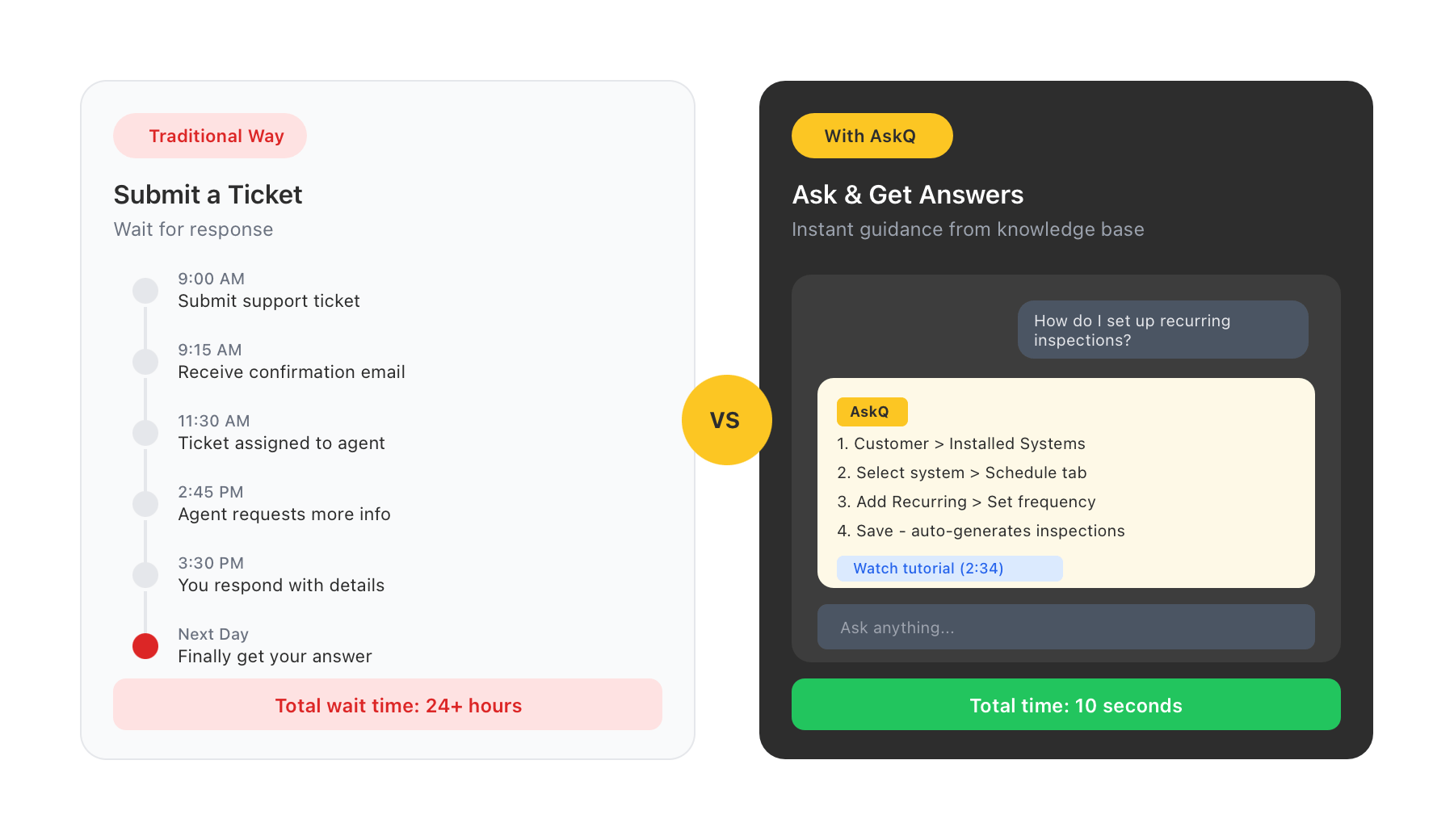
AskQ is connected to the complete Solutions360 knowledge base — including help articles, training videos, and product documentation. Any user can ask how to complete a task, configure a workflow, or navigate a module and receive clear, step-by-step guidance without leaving their screen or submitting a support ticket.

Conversational Help Desk
Feature

Available Across Every Module

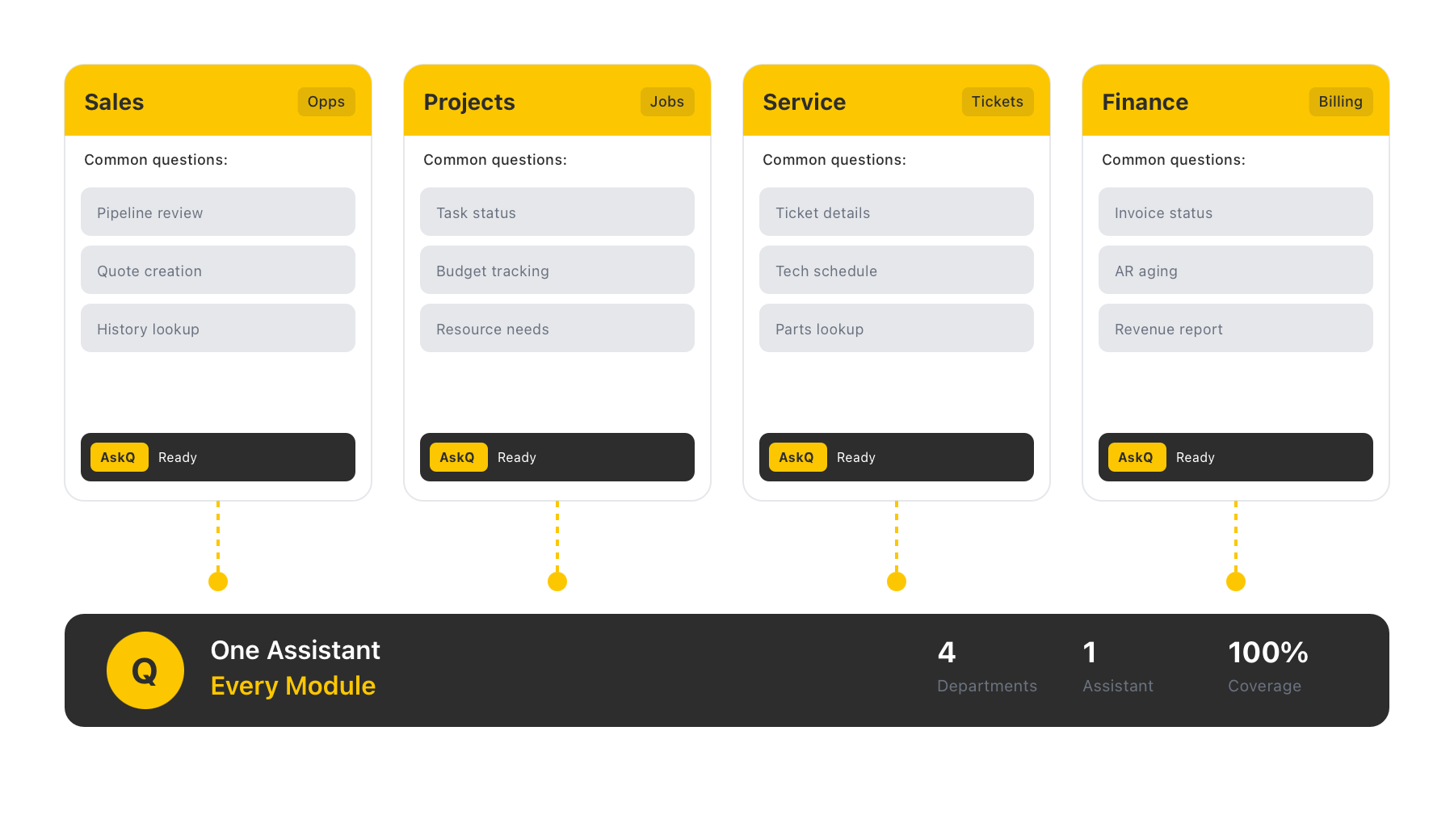
AskQ is available to every user throughout Q360 — not just one department or role. Sales teams, project managers, service dispatchers, and finance staff all access the same assistant, with responses informed by the specific module and data they’re working in.

Available Across Every Module
AskQ

Q360 Intelligence, Built In

AskQ puts the right answer, the right summary, and the right action one conversation away — wherever you are in Q360.