
Field Service Management
Q360 in the hands of every technician — wherever the work takes them.
The Full Platform, Out in the Field
Q360’s mobile application puts the complete power of the platform in the hands of field technicians — service techs, inspectors, and field support staff. Work orders, site history, parts management, time tracking, and AI-guided scheduling all live in one app, built to work even without a connection. No other ERP with native accounting reaches this deep into field execution. With Q360, what happens on the job site flows directly back to the platform — no manual re-entry, no reconciliation, no gaps.
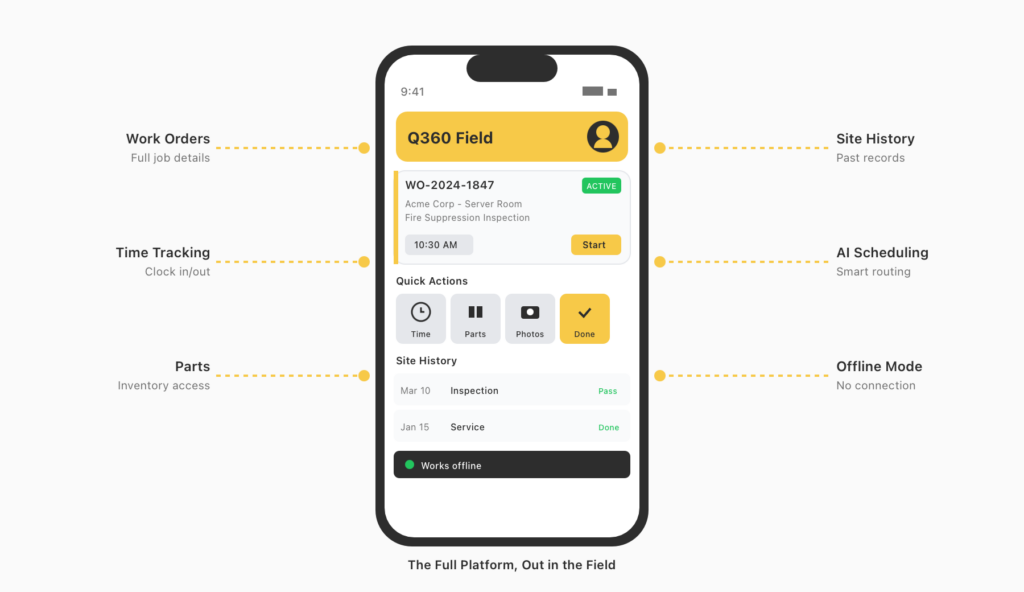
Built for the Way Technicians Actually Work
Works Without Connectivity
Technicians complete their full workflow offline and sync automatically when back in range. No dropped data, no lost time.
Everything About the Site, In One
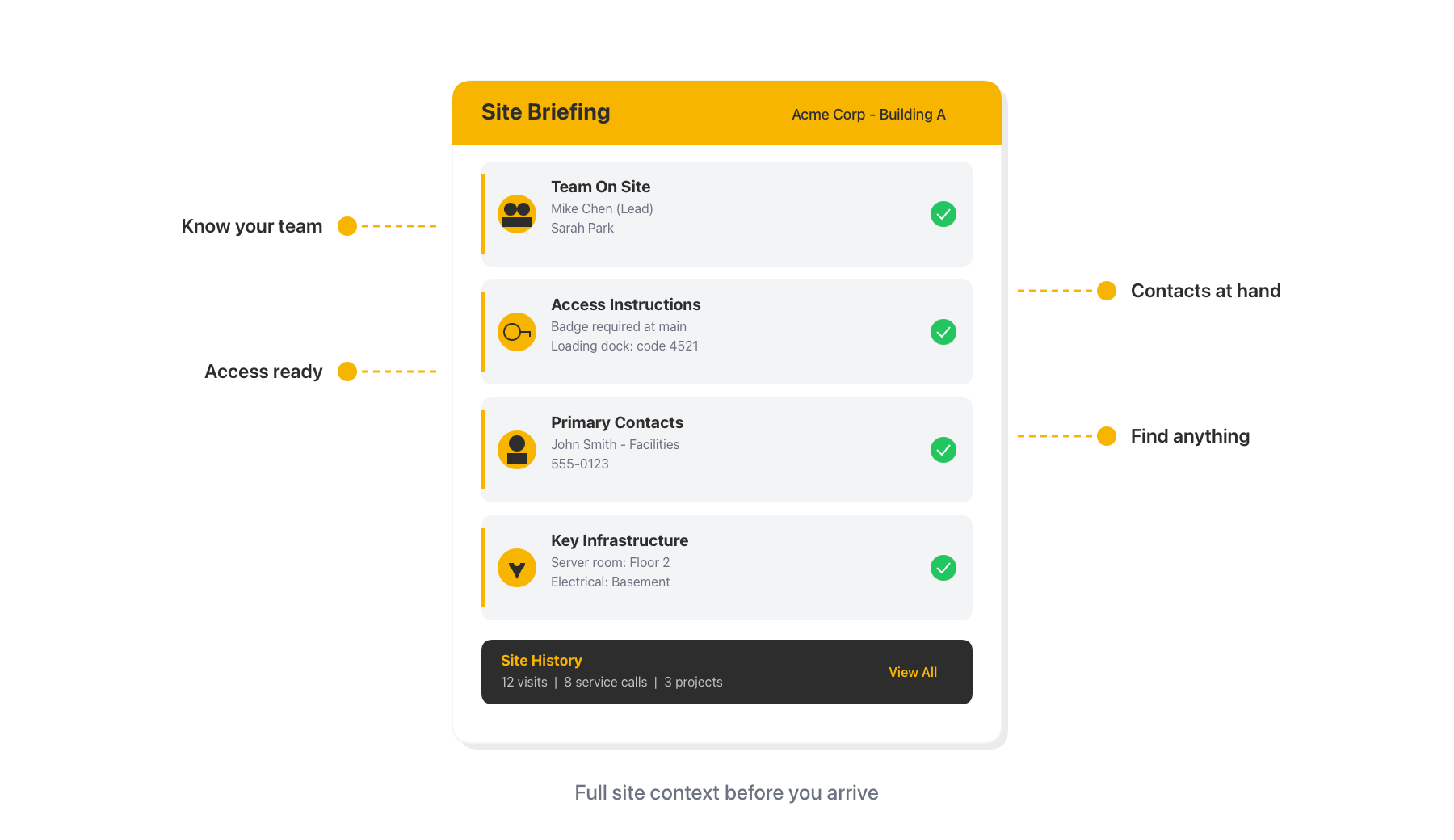
Contacts, access instructions, system locations, and full site history — available before a technician sets foot on site.
AI-Assisted Day Planning
AskQ surfaces the day’s schedule, relevant site history, and key context for each job so technicians arrive prepared.
Connected to the Full Platform
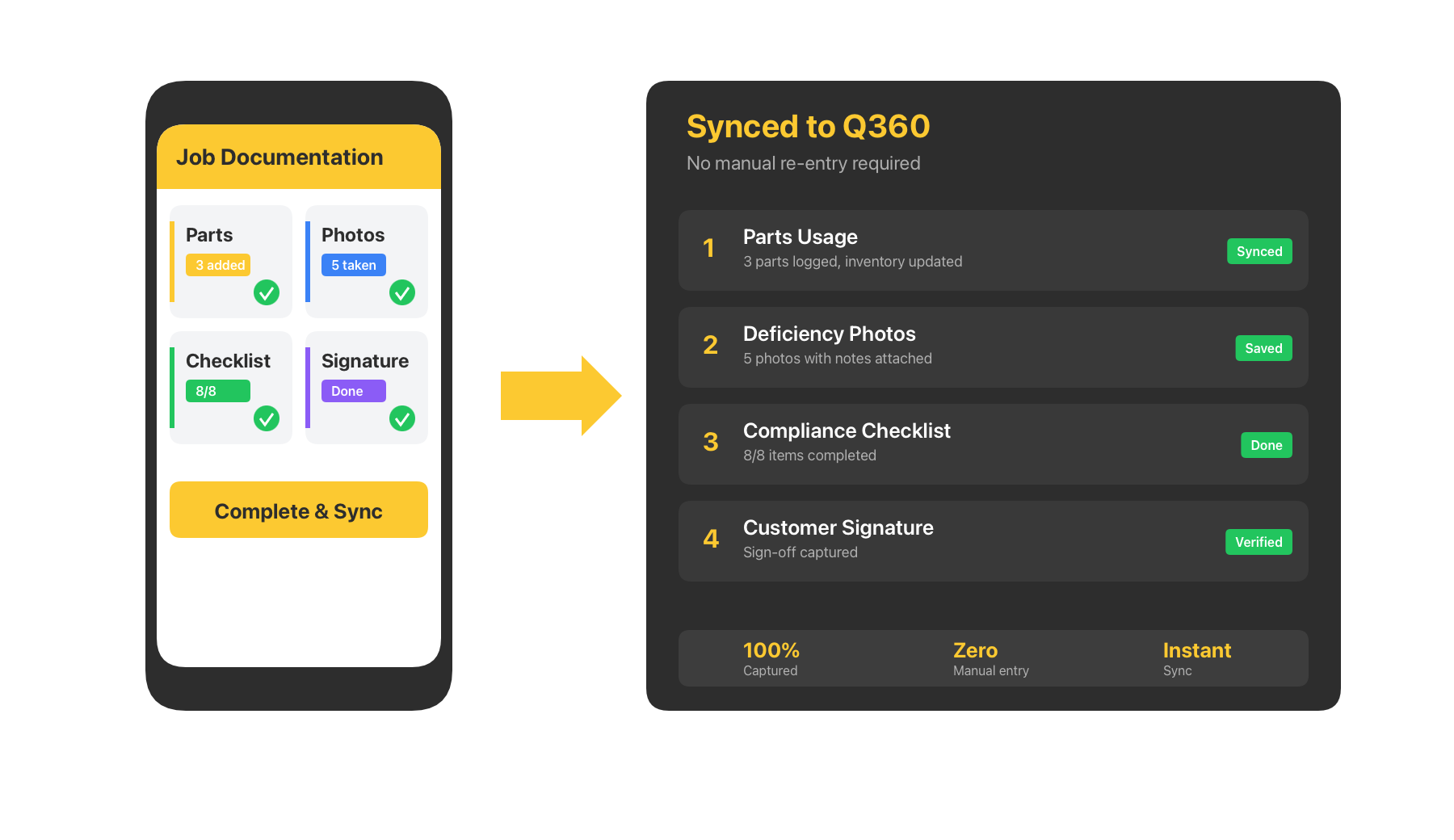
Time, parts, photos, notes, and signatures flow directly back to Q360 the moment connectivity is restored.
Offline-First Field Execution
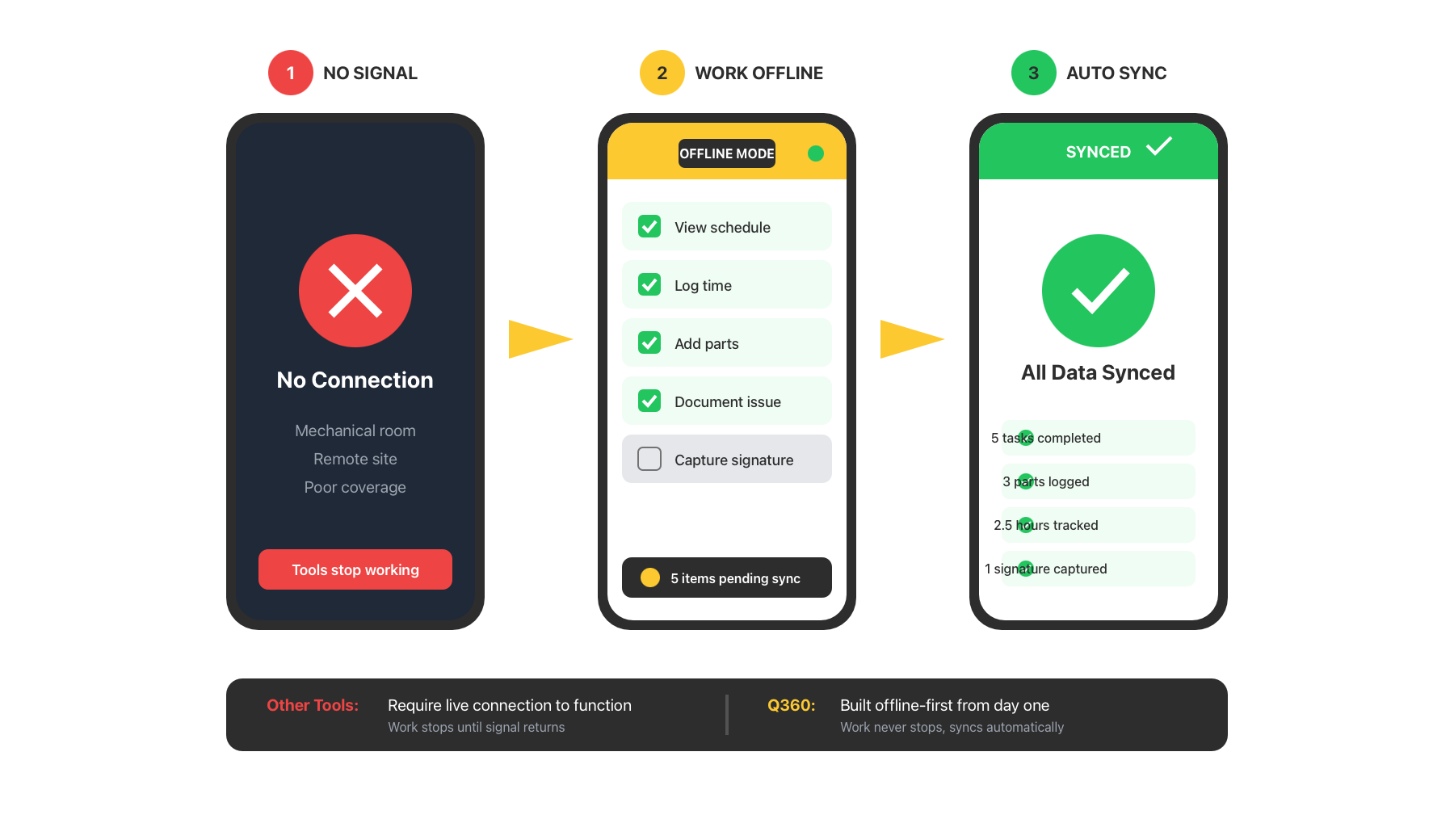
Q360’s mobile application is built offline-first. Technicians can view their schedule, work through service calls, log time, add parts, document deficiencies, and capture signatures — all without a connection. When connectivity is restored, everything syncs automatically. Many field service tools require a live connection to function. Q360 does not — and for technicians working in mechanical rooms, remote sites, or buildings with poor coverage, that difference is everything.
AI-Powered Scheduling and Site Intelligence
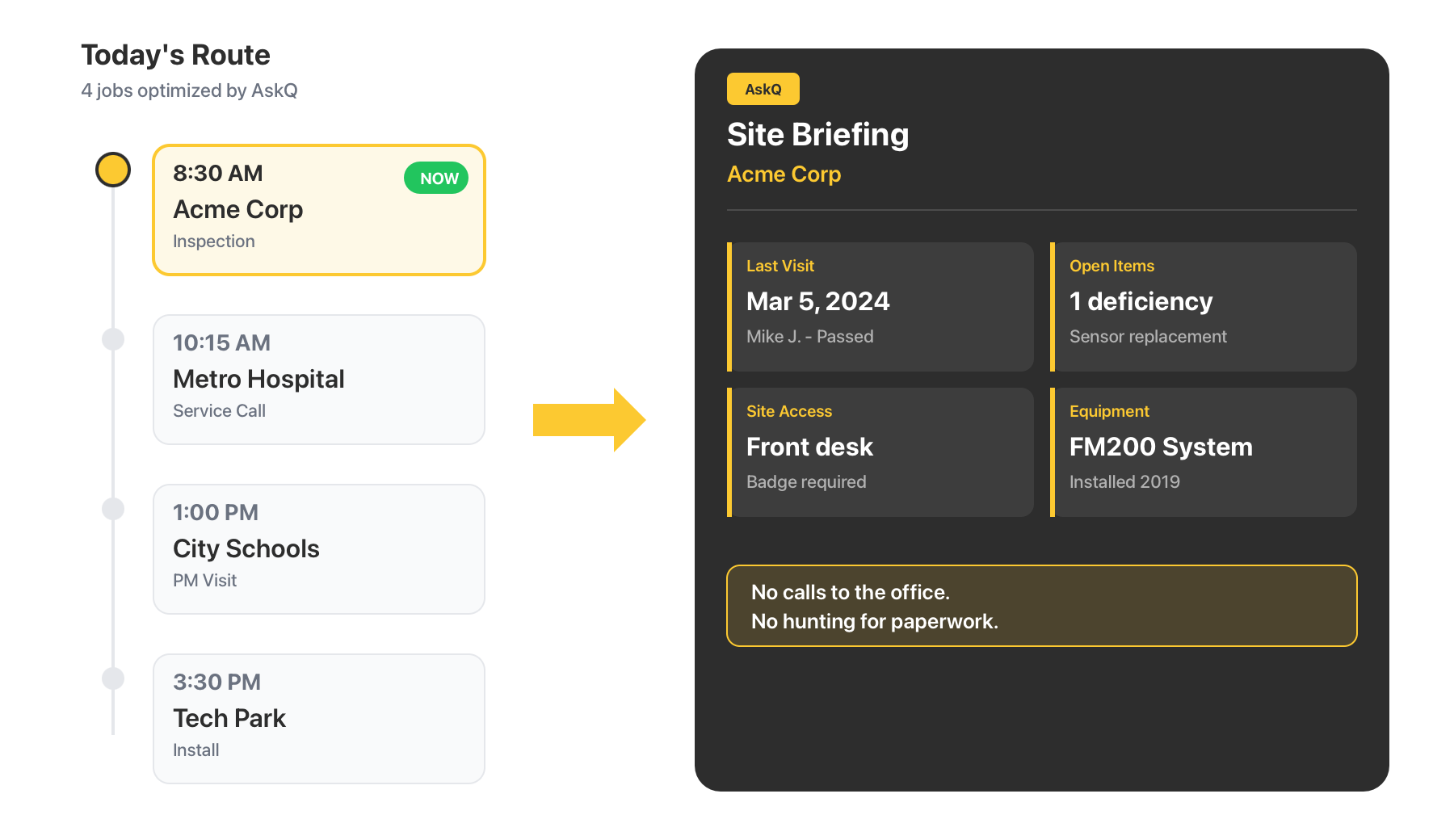
AskQ guides technicians through their day. The app surfaces the day’s jobs in sequence, highlights relevant history at each site — who visited last, what was done, what’s outstanding — and ensures technicians arrive at every job with the context they need. No calls to the office. No hunting for paperwork.
Work Order & Time Management
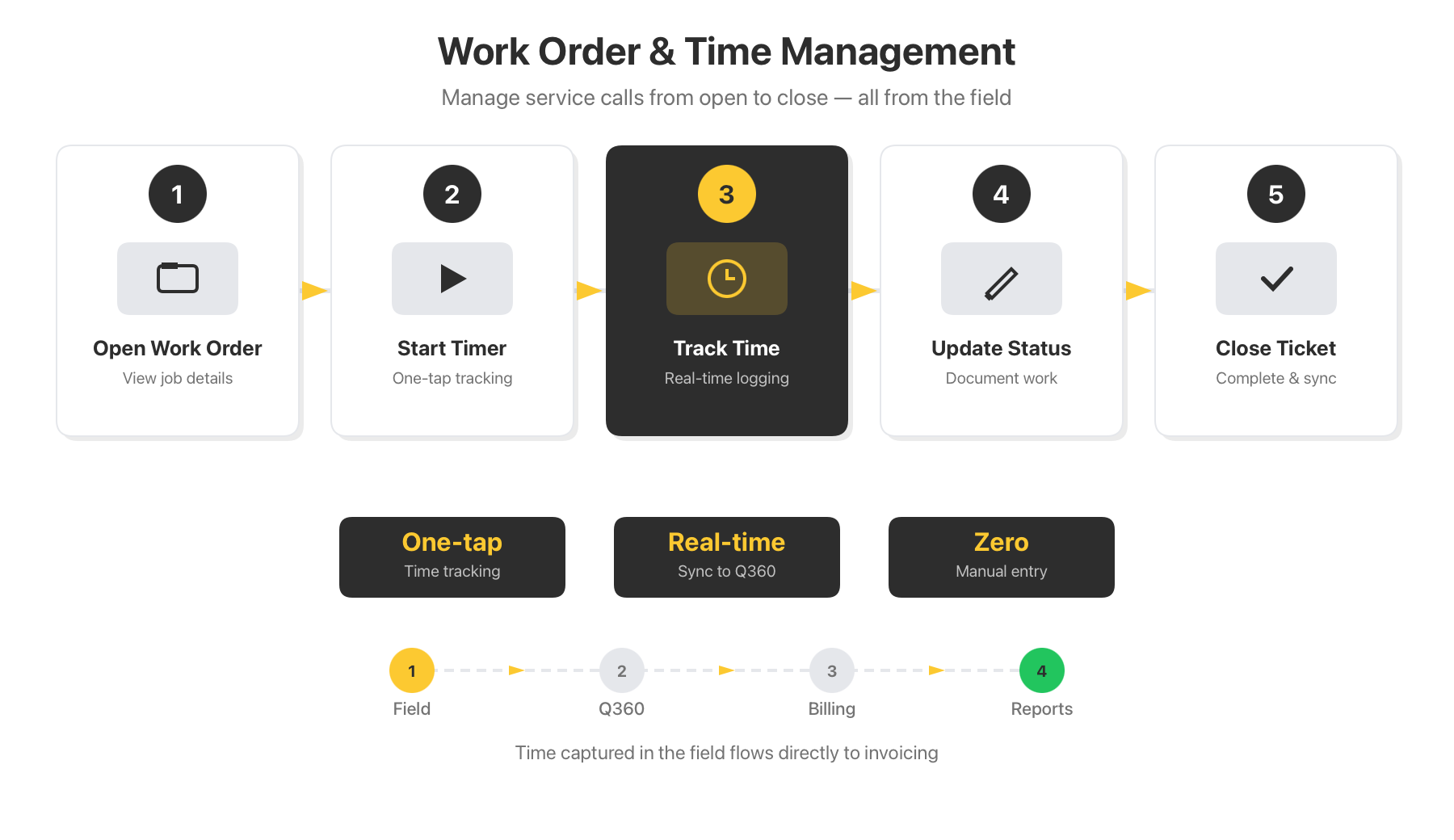
Technicians manage service calls and support tickets directly from the app. Open a work order, start a timer, and track time to the right customer or project in real time. Update job status, document work performed, and close out tickets — all from the field, all connected to the platform.
Parts, Deficiencies & Documentation
Everything that happens on a job site flows back to Q360 automatically. Parts usage captured on-site and reflected automatically across the platform — no manual reconciliation, no inventory gaps. Flag and photograph deficiencies with notes attached. Follow structured checklists, document compliance events, and collect customer signatures before leaving the site.
Complete Site Awareness
Every technician has a full picture of the site they’re walking into: who’s working alongside them, access instructions for the building, locations of key infrastructure, primary contacts, and the complete history of every visit, service call, and project at that location — all visible from the app before the work begins.
Q360 Field Service Management
The only ERP platform with full accounting that extends all the way into field execution — built for the technicians doing the work.